WriteDom Bot Applier v2.0.3
Automated Writedom Bidding & Subscription Portal
💻 Cross-Platform Compatible: Works seamlessly on Windows PC & macOS (MacBook) — any computer running Google Chrome!
🚀 Get Started with WriteDom Bot Applier Pro
Download the official extension zip file below to install on your Google Chrome browser.
📥 Download Extension (.zip)🔍 Check Your Subscription Status
📖 Step-by-Step Installation Guide
-
1Download & Unzip: Click the Download Extension (.zip) button above and extract the zip file onto your computer.
-
2Open Chrome Extensions: In Google Chrome, type
chrome://extensions/into your address bar and press Enter. -
3Enable Developer Mode: Turn on the Developer Mode toggle switch located at the top-right corner of Chrome's Extensions page.
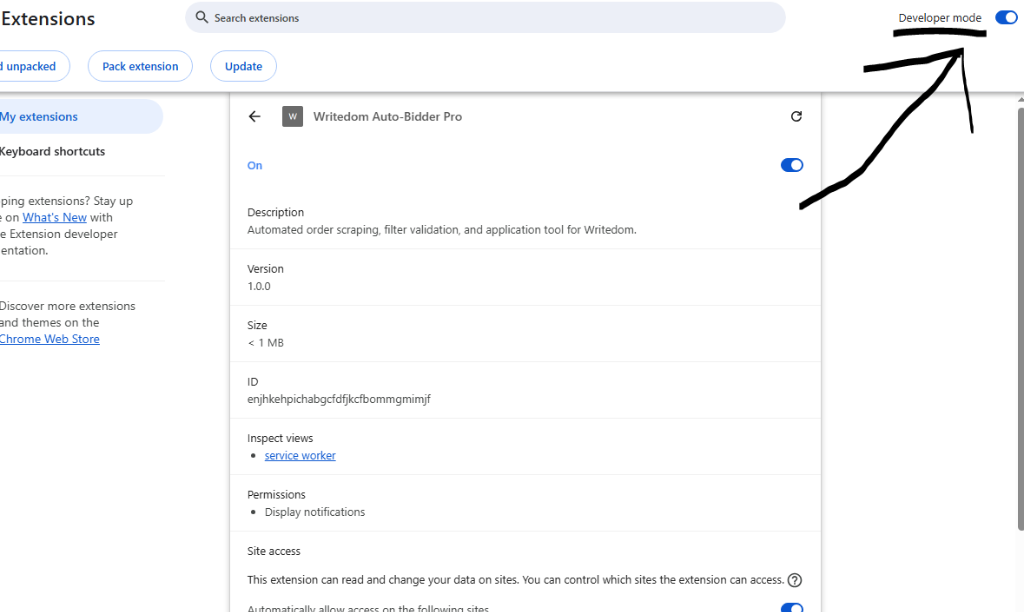
-
4Load Unpacked Extension: Click the Load unpacked button at the top-left and select your extracted
writedom-extensionfolder.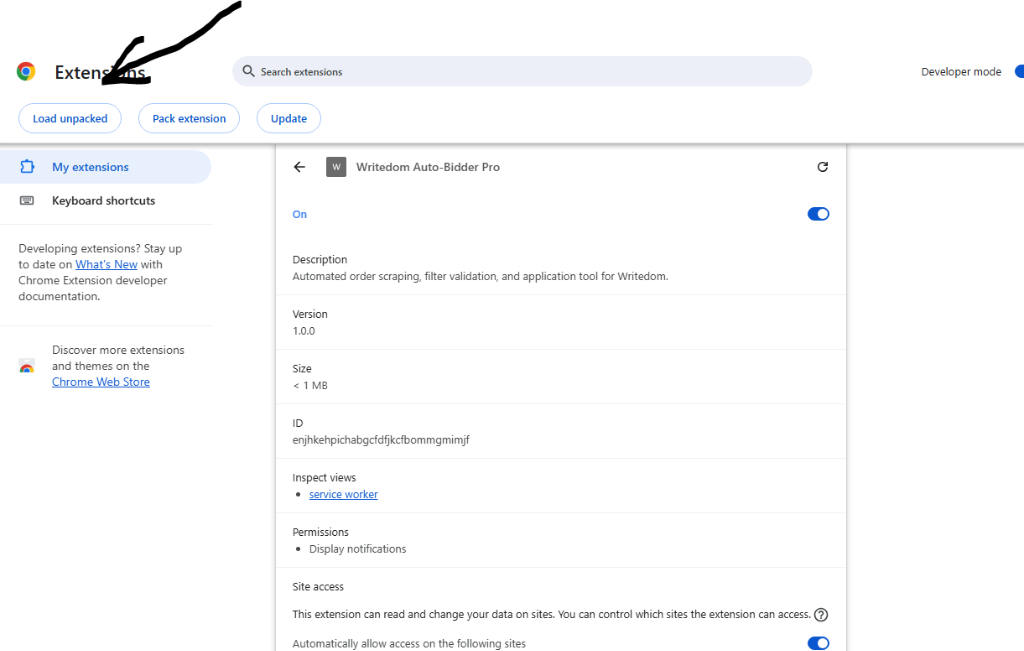
-
5Verify & Start Bidding: Click the extension icon in your Chrome toolbar, enter your phone number, click Verify, and press Start Bidding!
💬
Having trouble setting up? If you face any issues installing or verifying the extension, contact 24/7 customer support at 254798555427 for free setup assistance!